💻📱Native on Mac, iPhone & Android — real-time sync
EpicNotes Interactive Preview
Capture over any app — plain English becomes a scheduled, recurring task.
🔍 Tap image to enlarge • 👆 Swipe left/right
Built for Speed, Focus & Intelligence
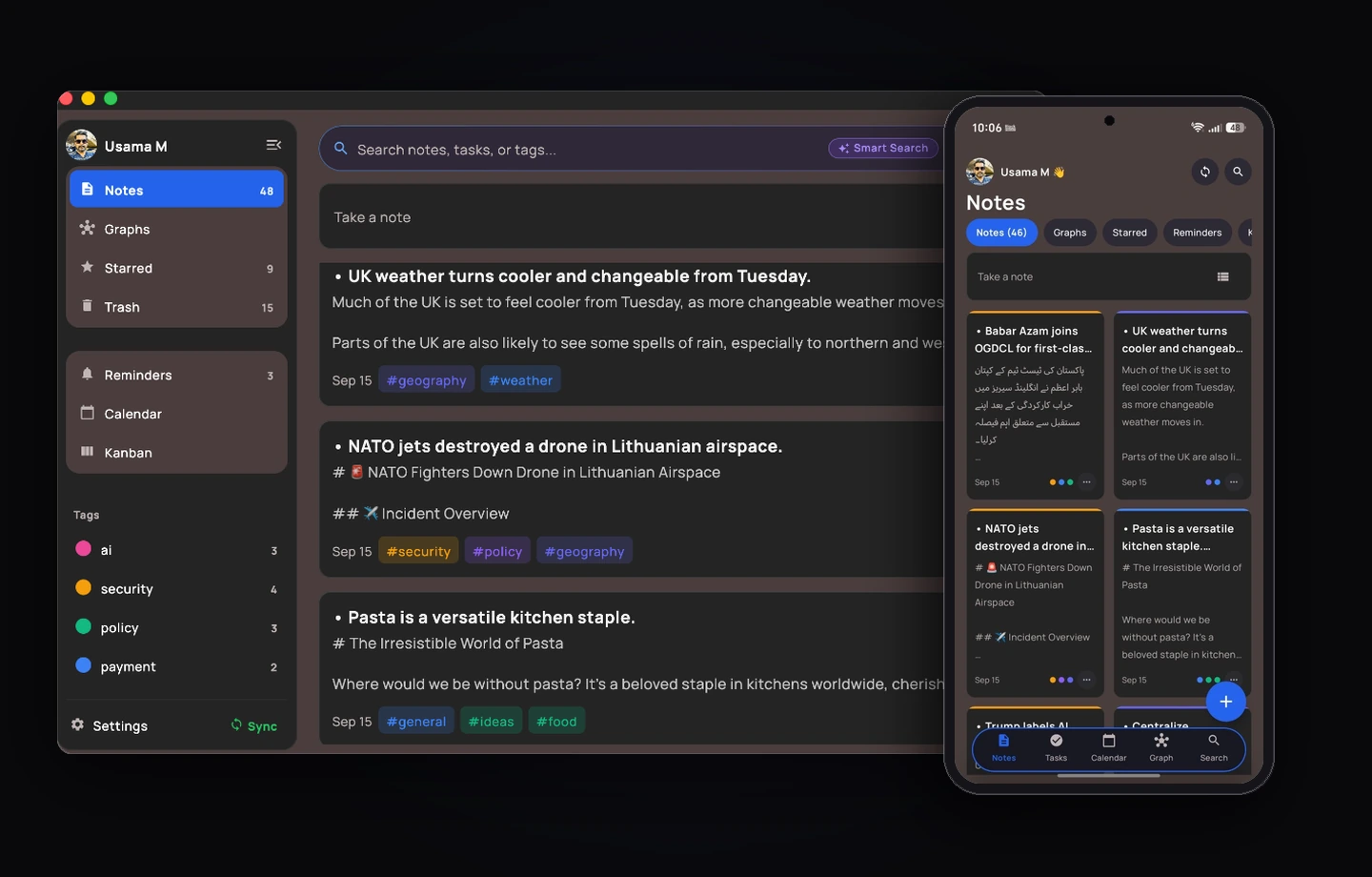
Capture ideas, auto-tag content, schedule tasks, and summarize notes instantly.
🏷️
AI Auto-Tagging & Categorization
EpicNotes AI reads your note and assigns up to three color-coded tag chips in one tap — no manual filing. Tags power instant filtering on Mac and Android.
🤖
Natural Language AI Recurrence
Type 'Remind me to call mom every Monday at 9am'. Instant ON-DEVICE parsing extracts title, date, time and RRULE recurrence — no API call, works offline. Completing a recurring task automatically schedules the next occurrence.
⚡
EpicNotes AI Auto-Summarizer
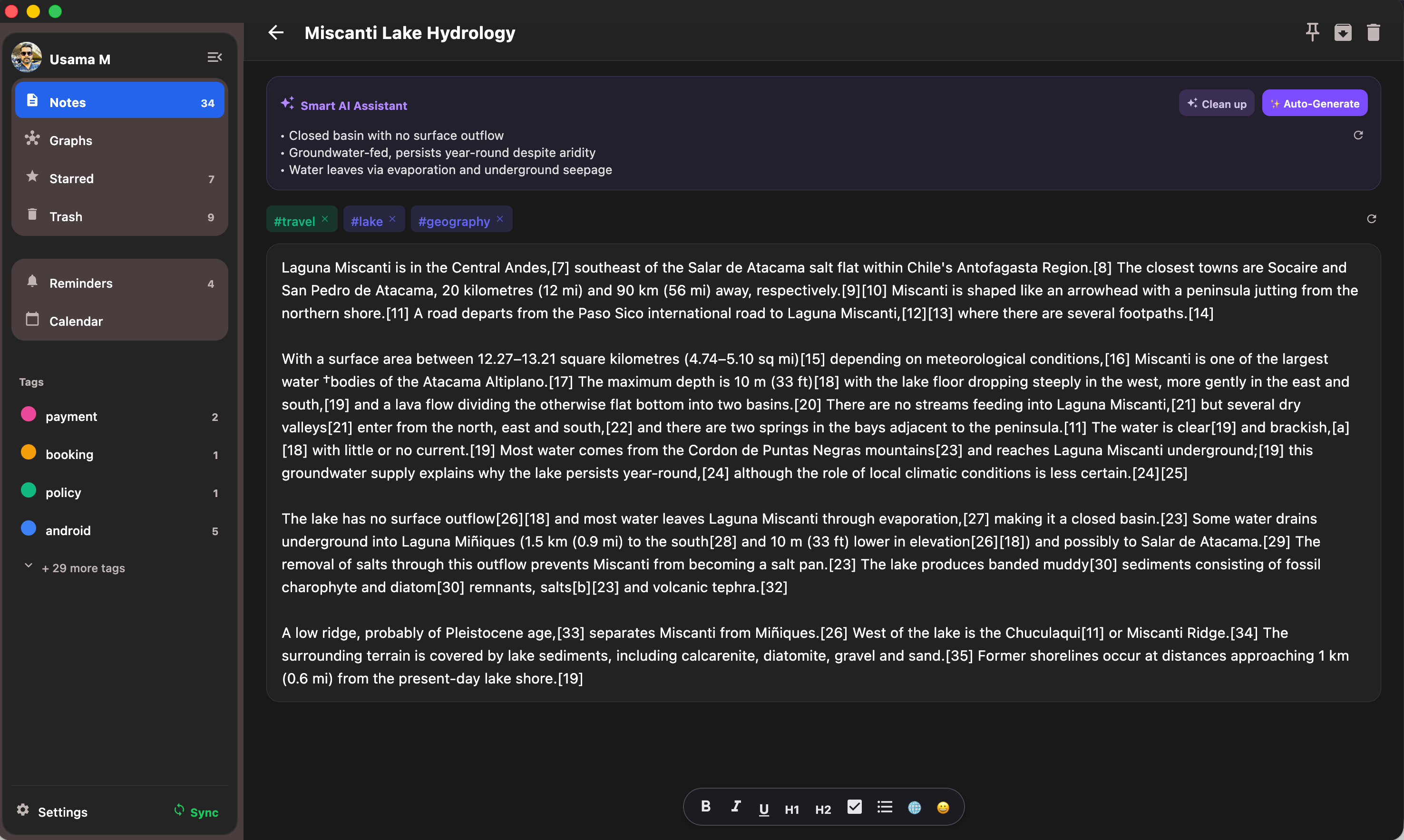
One tap generates a title, an executive summary and matching tags for long notes. Smart AI search lets you query your notes with natural questions.
🔍
Smart AI Search — find notes by meaning
Type 'that note about the flight change' and EpicNotes understands what you mean, not just what you typed. Semantic search ranks notes by meaning — unlimited with Pro, with 5 free AI trial credits to try on free accounts. Instant keyword search is always 100% free and unlimited.
Smart AI Search
Ask in plain English — results ranked by meaning.
📅
Automatic Google Calendar Sync
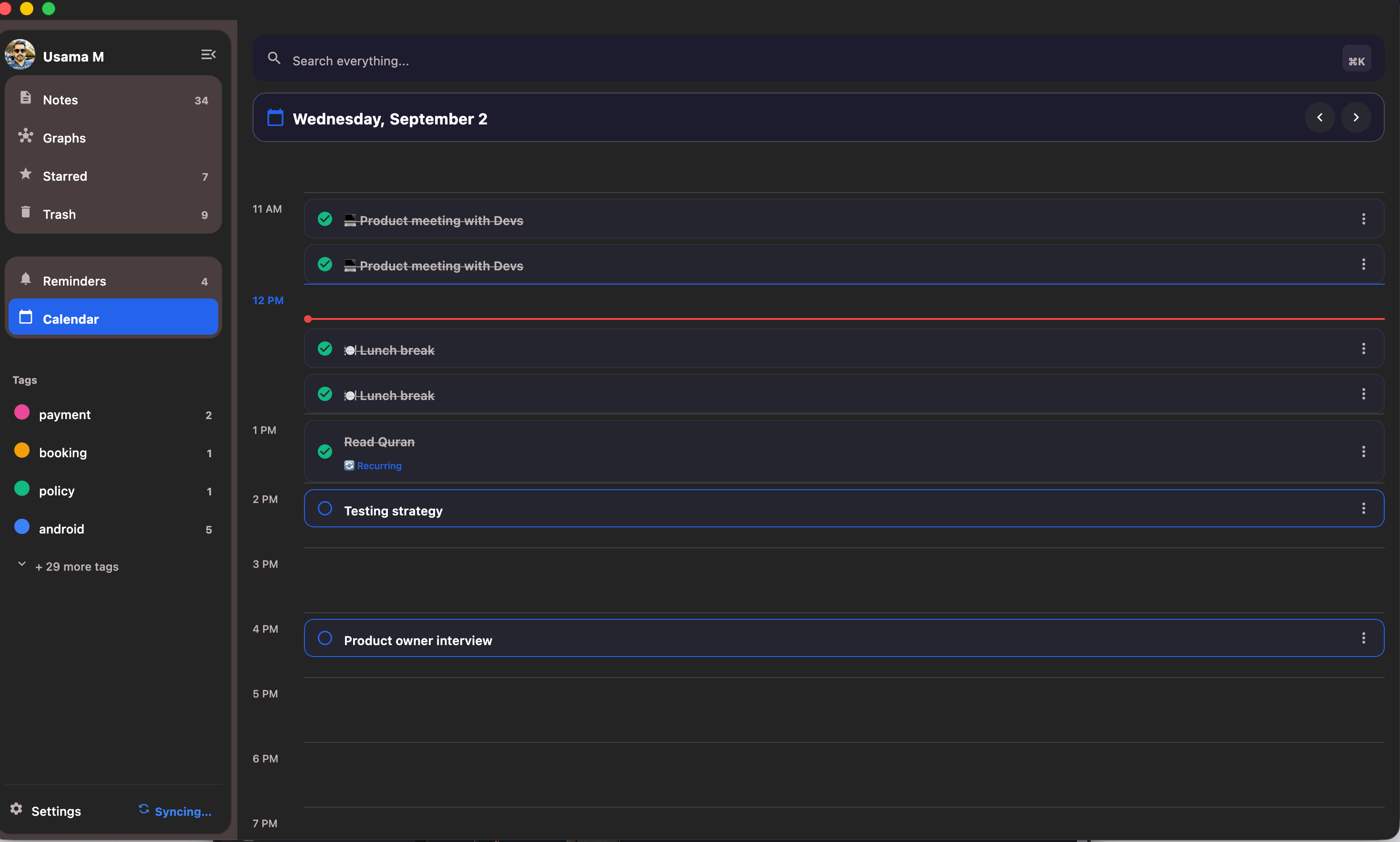
Every task with a due time becomes a 15-minute event on your Google Calendar. The interactive 24-hour timeline shows your whole day with a live now-line, including recurring tasks on their repeat days.
🚀
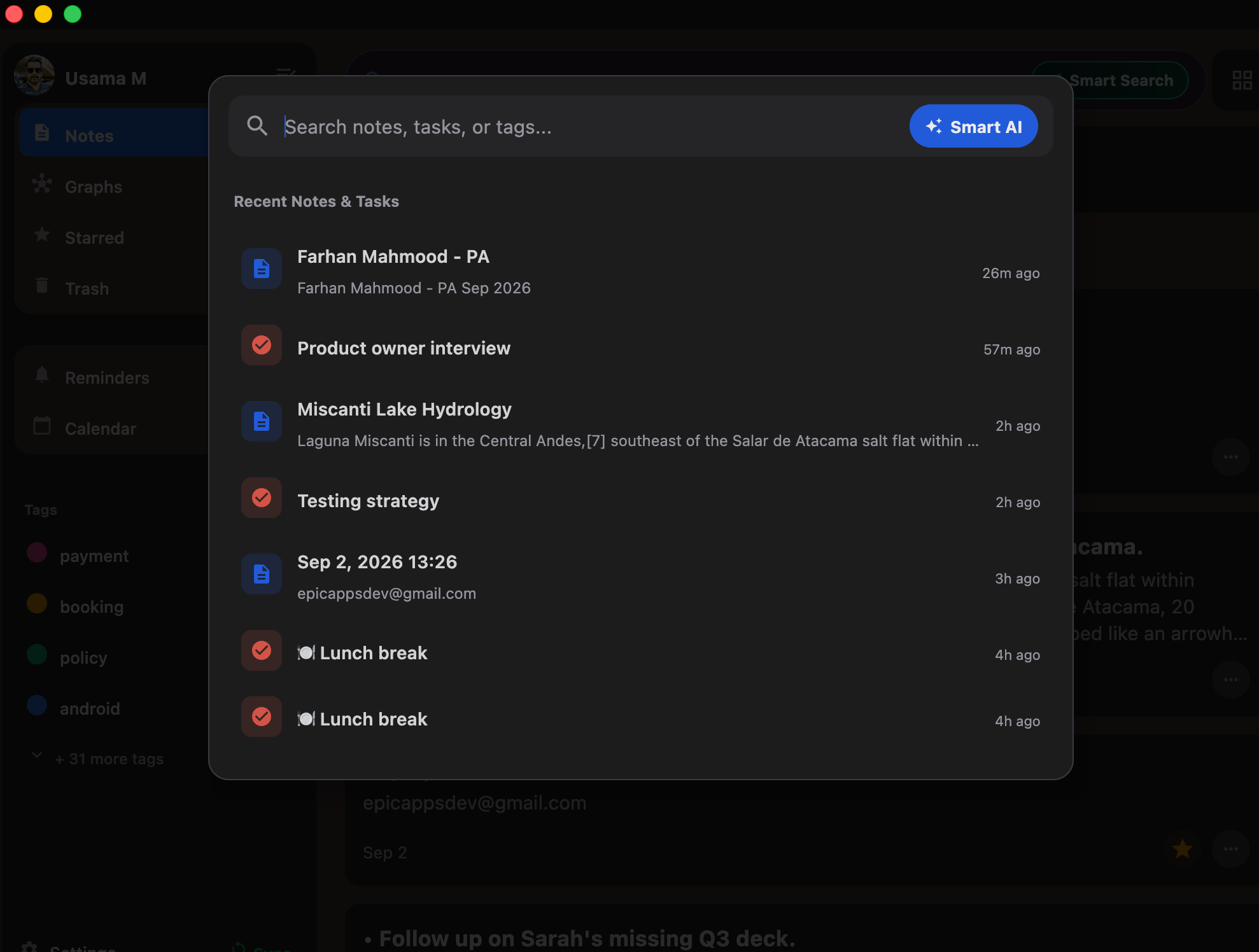
Global ⌘K Search & Popups
Raycast-style ⌘K palette searches notes, tasks and tags instantly. On Mac, customizable global hotkeys (default ⌃⌥N / ⌃⌥T) summon a floating quick-capture popup over any app — capture a thought without opening the full app.
🛡️
Trash Protection & Local-First Safety
Everything lives in a local database first — full offline use, no account required. Trash & Restore, pinning, archiving, 13 color tints, tag filtering and Notion-style slash commands with WYSIWYG rich text (bold, headings, checklists). Cloud sync keeps Mac and Android in step.
🌐
1-Click Web Article Import & AI Summaries
Paste or share any web article link — from news portals to Medium blogs. EpicNotes extracts clean readable text and generates a smart title, executive AI summary, and auto-tags in seconds. On Android, tap Share in Chrome to save directly into EpicNotes.
🕸️
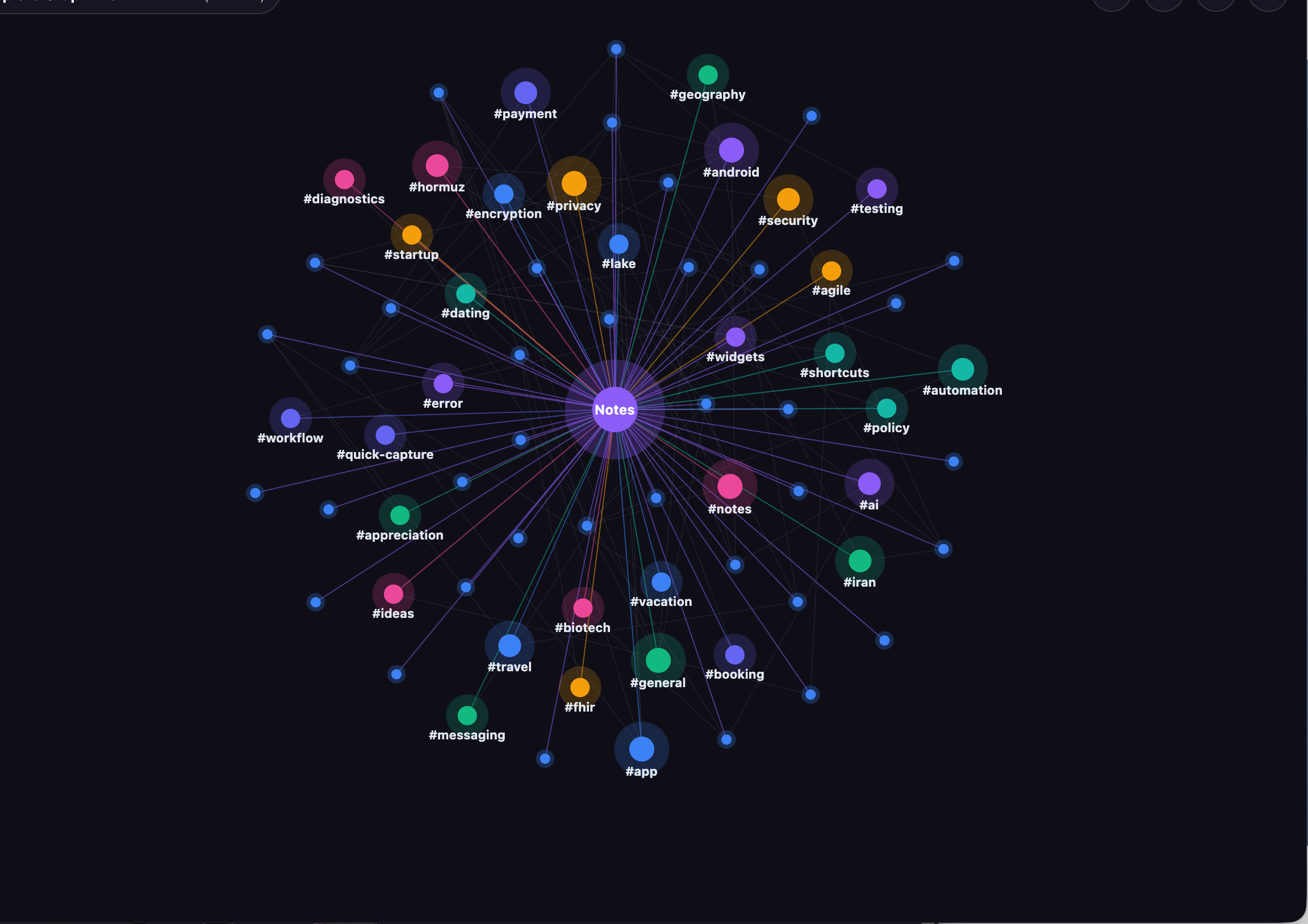
Interactive Visual Knowledge Graph
Visually discover relationships between your notes and tags with a dynamic 2D force-directed spring physics canvas. Features hierarchical progressive blossom, tag hub collapsing, cross-links, and a full-graph mode toggle.
✨
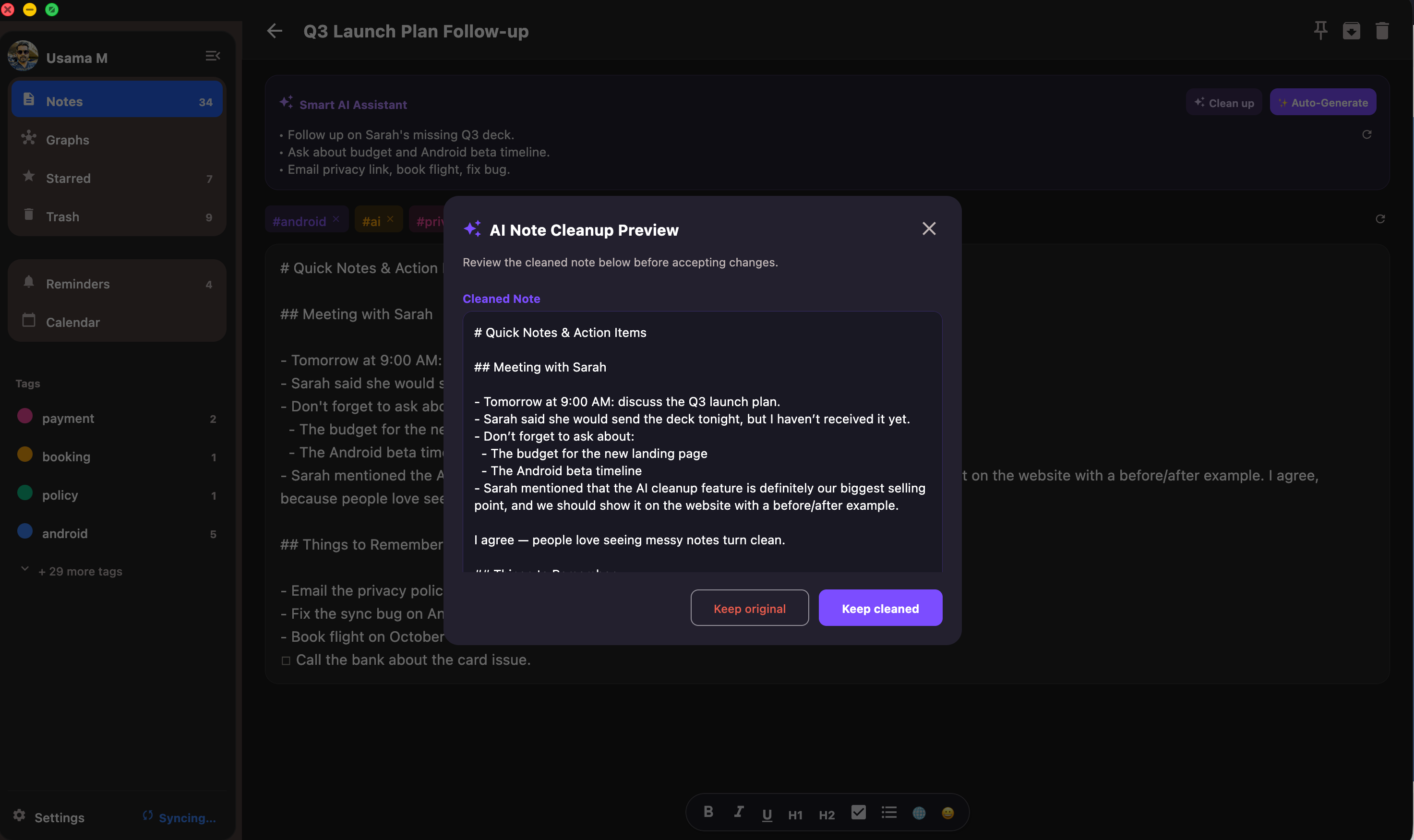
Smart AI Note Cleanup & Editing
Transform messy notes, voice-to-text transcriptions, and rough thoughts into clean, structured documents with one tap. AI fixes grammar, adds bullet points, and cleans headers without altering your facts or core voice.
📱
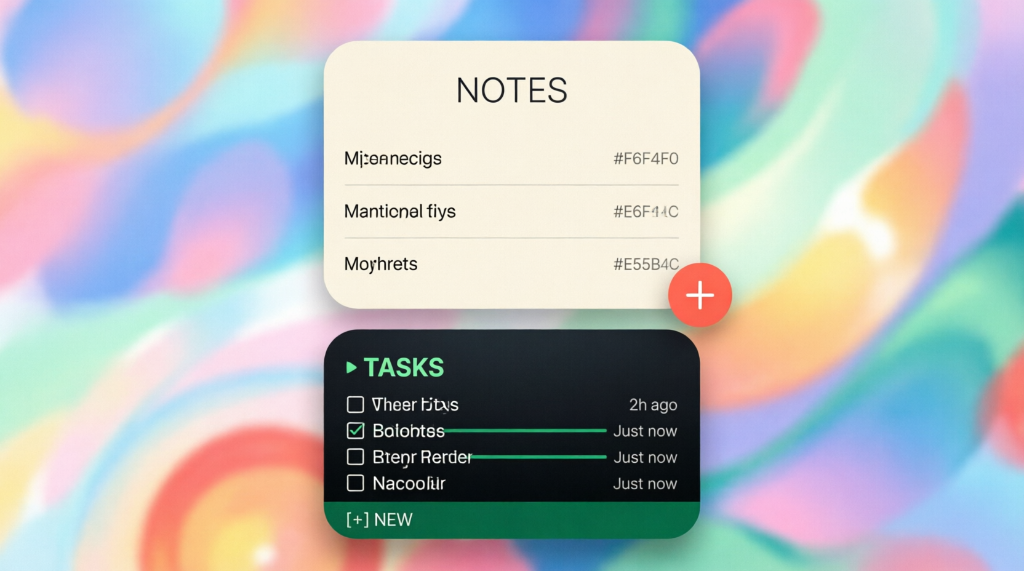
Android Launcher Shortcuts & Home Widgets
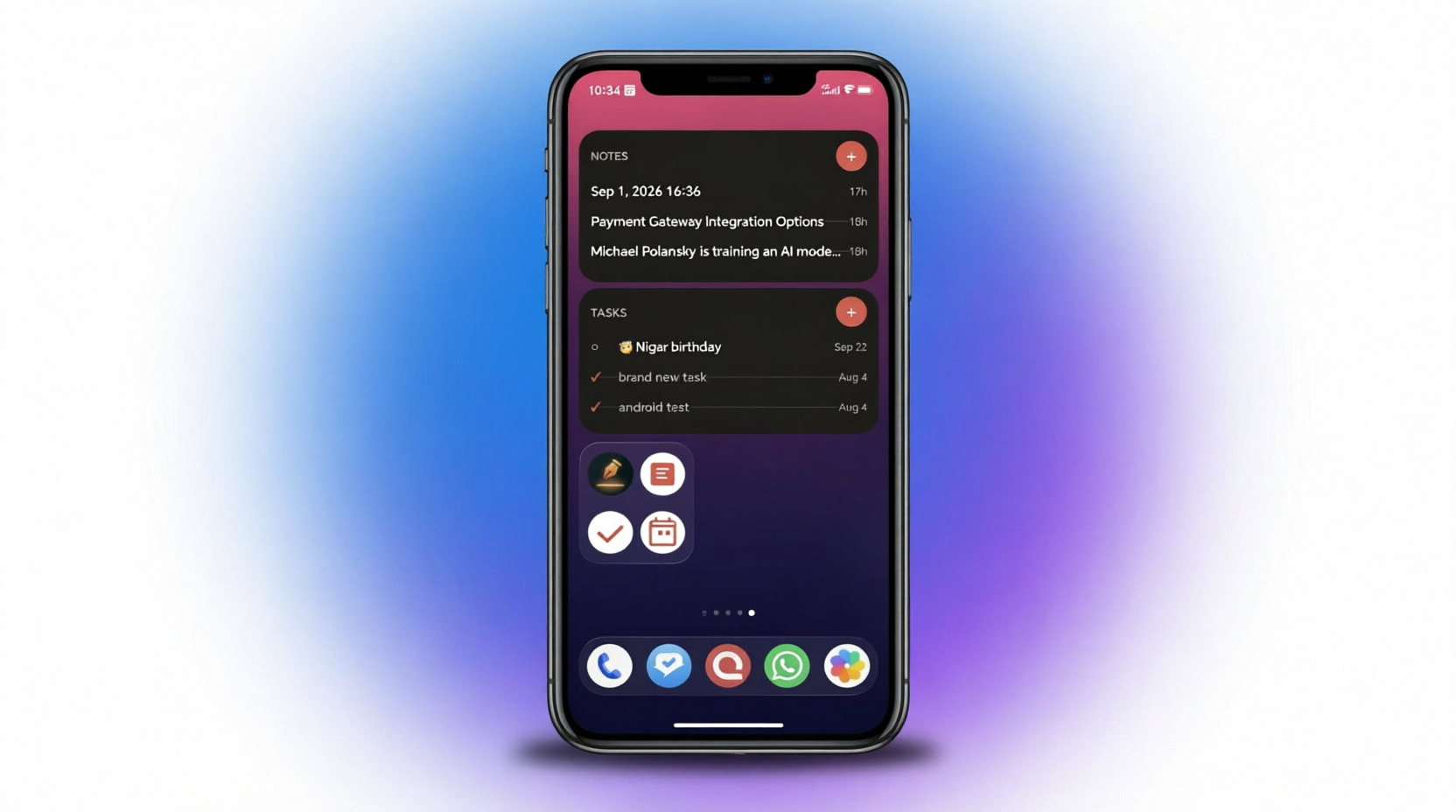
Long-press the EpicNotes app icon on your phone to instantly launch "New Note" or "New Task". Place paper-style Home-Screen Widgets on your Android display for zero-delay task checking and quick idea capture.
🟢 Now Live on Google Play
Now on Android — Notes & Tasks in Your Pocket
Bring paper-style widgets, share sheet integration, and exact notifications to your phone.
• Paper-style Notes widget and a dense Tasks widget with one-tap capture
• Long-press app shortcuts and a translucent quick-capture popup over any app
• Share-to-Save: send any link or text from any app; EpicNotes extracts clean, readable article content
• Exact-alarm reminders with Complete / Snooze actions right in the notification
• Light & dark themes, fully synced with your Mac in real time
Why Stripe Test Mode Failed Me: A Solo Developer’s 36-Hour Debugging Marathon
Building EpicNotes meant obsessing over real-world reliability. When our live subscription billing uncovered hidden edge cases that Stripe test mode masked, we spent 36 sleepless hours re-architecting for complete offline-first resilience.
HackerNoon featured our technical post-mortem as an official episode on their tech podcast.
Pay once. Own Pro forever across Mac, iOS & Android. No subscription ever.
✓Everything in Pro forever
✓100 AI requests/month for life (refreshed monthly)
✓ Auto-tagging, summaries & semantic search
✓ Mac, iOS & Android cross-platform license
✓ Priority access to all future AI updates
One account = Pro on every device (Mac, iOS & Android). Cancel subscriptions anytime.
Frequently Asked Questions
Is EpicNotes free to use?
Yes! The Free plan provides unlimited local notes & tasks, 24-hour timeline view, Google Calendar sync, cross-device sync between Android and Mac, and 5 free AI trial credits to test smart summaries and search.
Is EpicNotes available on iOS, Android and Mac?
Yes! EpicNotes is cross-platform across all three: download for Mac (.dmg / Mac App Store), Android on Google Play, and iOS (iPhone & iPad) via public TestFlight beta. All three platforms share real-time, offline-first SQLite sync.
Where is my data stored, and do you train AI models on my notes?
Your privacy and data security are built into the architecture:
• Local-First: All notes and tasks are saved directly on your device in a sandboxed SQLite database. The app functions 100% offline without needing an active account.
• Zero AI Training: AI queries run through private enterprise endpoints with zero-data-retention agreements. Your notes are never used to train foundation models.
• Encrypted Cloud Sync: Data in transit is protected with TLS 1.3, and cloud storage uses strict Supabase PostgreSQL Row Level Security (RLS) so only your authenticated session can access your data.
• No Trackers: Zero advertising SDKs, zero telemetry brokers.
How does Pro pricing and billing work?
Pro is available at $2.99/month or $29/year (with 50% off during launch week for $14.50/year using code EPICLAUNCH50). Android users subscribe via Google Play and Mac users subscribe via Stripe. One subscription unlocks Pro on all your devices under the same account.
How does AI semantic search and auto-tagging work?
EpicNotes uses deep semantic AI models to understand the actual meaning of your thoughts. You can search conceptually (e.g., "ideas for my upcoming trip") even if those exact keywords aren't in your note title, and the AI automatically tags and summarizes content on demand.